
Star ratings on every recommendation
Show star ratings and review counts on every recommended product, highlight the best-rated pick with a Top rated badge, and use ratings to break ties. It reads the reviews you already have — no API key, no theme code. On every plan.
What shoppers see on the results page
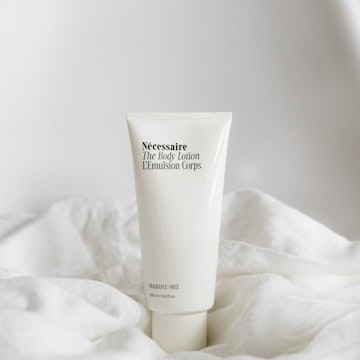 Top rated
Radiance Serum
$42.00
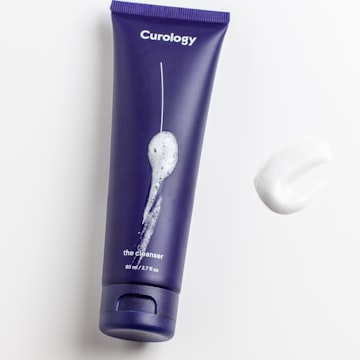
Daily Moisturiser
$36.00
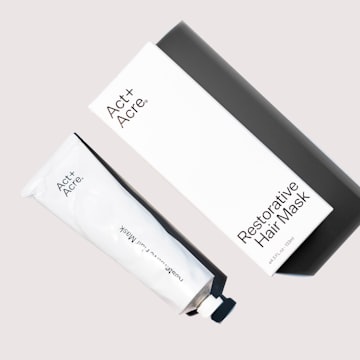
Balancing Toner
$28.00
Ratings read from your reviews app · Tie-break by rating on
Example data
Set up
Connected in minutes
Collect reviews
On Shopify, use a reviews app such as Judge.me. On WooCommerce, turn on product reviews and star ratings and approve some reviews.
Turn it on for a quiz
Open Quiz Builder → Results Screen → Product reviews and turn on Show star ratings on results.
Check the status line
It shows how many of your products have ratings. Click Sync now if they haven’t synced yet.
Make it yours
Choose the count style, position, Top rated badge and tie-break — then Save and Preview.
What you can do
Put it to work
Stars filled to the exact rating
A 4.6 shows four stars and most of the fifth, with the average and the number of reviews.
Top rated badge
One badge for the best-rated pick, weighted by review count — 4.8 from 300 reviews beats a single 5-star review.
Break ties by rating
When products have exactly the same votes, show the better-rated one first. Votes still decide everything else.
Styled to match
Star size and colours, rating text and badge colours — or leave them empty to follow your quiz theme.
The details
Works with your reviews app
In your control
Built to be trusted
Always fresh
Ratings update when products sync, when a product changes, and every few hours — or click Sync ratings now.
Accessible
Screen readers hear the full rating, for example “Rated 4.6 out of 5 from 128 reviews”.
Off by default, per quiz
Turn it on only for the quizzes you choose, from the Results Screen or the Manage drawer.
Votes still decide
Ratings never change which products are recommended — only the order of exact ties, if you turn that on.
FAQ
Product reviews questions
No. ShopperQuiz reads the ratings your reviews app already saves in your store — including on free plans such as Judge.me Free.
No. It only changes the quiz results page, and only for quizzes where you turn it on.
Only if you turn on Break ties by rating — and then only the order of products with exactly the same votes.
Not yet. The results page shows the star rating, average and count.
More in the Product reviews setup guide — or ask Ana inside your dashboard.


Connect Product reviews to
your product quiz
Included on every plan, on Shopify and WooCommerce. Start free — no credit card required.
Get started for freeNo credit card required · Free plan available