Bring shoppers back after the quiz, automatically
Six follow-up emails, sent in your store’s name hours or days after the quiz. They bring back shoppers who stopped halfway, remind those who saw their picks but didn’t buy, and follow up after an order. Every link reopens the shopper’s own quiz, results or cart.
Growth plan and up · try it free for 14 days · sent for you, no email setup
New15 Nov 2026·Read the announcementFinished, no purchase
Default timing
- Shopper finishes the quiz, doesn’t buy
- 2 hoursPicked for you
- 1 dayYour picks are waiting
- 3 daysLast reminder
- Stops as soon as they order
Still thinking it over, Alex?
Your Store <[email protected]>
Your picks are waiting
Still thinking it over?
Your personalised picks are still here whenever you’re ready.
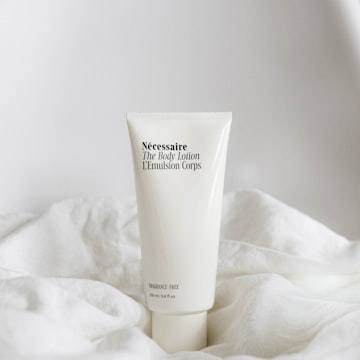
Radiance Serum
$42.00
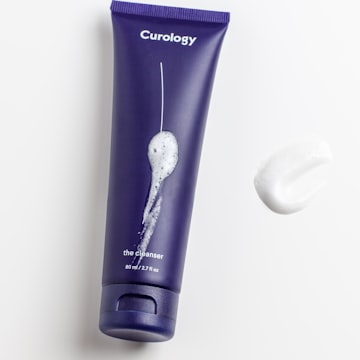
Daily Moisturiser
$36.00
“Finished, no purchase”, email 2, with the default text
Six follow-ups, each with its own switch
The right email for where each shopper stopped
Every follow-up is off until you switch it on. Each has one to three emails with ready-written text, and you can change every word and every wait.
Quiz abandoned
Shoppers who gave their email, then stopped answering.
- Sends
- 1 hour, then 1 day after their last answer
- Button
- Their quiz, where they left off
Finished, no purchase
Shoppers who saw their recommendations but haven’t ordered.
- Sends
- 2 hours, 1 day and 3 days after finishing
- Button
- Their saved results
Cart abandoned
Shoppers who added recommended products to the cart, on the results page or in your store, but didn’t check out.
- Sends
- 4 hours, then 1 day after their last cart change
- Button
- Their saved results, cart restored
After purchase
Shoppers who ordered from their quiz results.
- Sends
- 5 days (thank you and how to use), 14 days (review request)
- Button
- Your store, then the product
Refill reminder
Shoppers who ordered. Subscription items are left out, as they refill themselves.
- Sends
- 30 days after their order
- Button
- The product
Retake reminder
Shoppers who finished the quiz.
- Sends
- 90 days after finishing
- Button
- The quiz, to take it again
With Cart abandoned on, shoppers with products in their cart get that one instead of Finished, no purchase, so nobody gets both.
One click back
They pick up right where they left off
Reminders don’t drop shoppers on your homepage. They open their own quiz, their own results or their own cart, and orders from there count towards the follow-up’s revenue.
How much time do you have?
Their quiz, where they left off
Opens on the question they stopped at, with their earlier answers kept. They don’t see the welcome screen again.
Your results
Your perfect routine
Radiance Serum
$42.00
Daily Moisturiser
$36.00
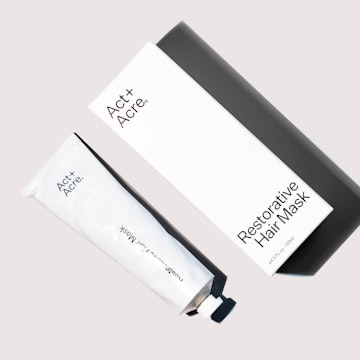
Balancing Toner
$28.00
Their saved results
Their own results, on your quiz page, ready to add to the cart. Not a generic product page.
Your bag
3 itemsRadiance Serum
30 ml · × 1
One-time purchase
Daily Moisturiser
50 ml · × 2
Subscribe · every 30 days
Their cart, restored
Cart abandoned emails put back what they added on the results page, with the same quantities, options and subscription choice.
Links open the page each shopper took the quiz on, so keep the quiz live on your store.
Your words
Ready to switch on, easy to make your own
Every email starts with friendly, ready-written text. Change any word, or put the default back with one click.
- Up to three emails per follow-up, each with its own wait in minutes, hours or days
- Your subject, preview text, label, heading, text and button
- First name, store name and quiz name filled in for each shopper
- An optional discount code you created in Shopify or WooCommerce
- Their recommended, cart or bought products, with or without images and prices
- Preview at desktop or phone width, then send yourself a test
- All quizzes, or only the ones you choose
Send
Subject
Label
Heading
Button goes to
Discount code (optional)
Email design
Looks like your brand, in every inbox
A clean, editorial layout: your logo, a small label, a large heading, your text, the products as large photos in two columns, two per row on phones too, and one clear button.
Choose your logo and where it sits, the accent colour, the page and email colours, a heading font and a text font, the button shape, and the colour, size, weight and spacing of every text. One design, shared with your Results email, so both always match.
Fonts come from a short list of web fonts. Apple Mail, iPhone and Samsung Mail show them; Gmail and Outlook don’t load web fonts and show a matching fallback, so every choice still looks right.
Heading font
Text font
Button shape
Colours
Your picks are waiting
Still thinking it over?
Your personalised picks are still here whenever you’re ready.
Radiance Serum
$42.00
Daily Moisturiser
$36.00
You are receiving this email because you took the Skin Quiz on Your Store and agreed to hear from them.
Your Store Ltd · 1 Market Street, Sydney NSW 2000
Unsubscribe from these emails
Polite by design
Helpful reminders, never spam
ShopperQuiz follows these rules for every store, so your emails stay welcome and your sender reputation stays clean.
One email a day, at most
A shopper never gets more than one follow-up in 24 hours, unless they did something new since: finished the quiz, changed their cart or ordered.
Quiet hours
On by default. Emails that wait a day or more never arrive between 9 pm and 8 am in the shopper’s time zone. They go out around 10 am instead.
Stops when it no longer fits
Finished, no purchase and Cart abandoned stop as soon as the shopper orders. Quiz abandoned stops when they finish.
Only shoppers from now on
A follow-up only reaches shoppers who start a quiz after you switch it on. Nobody from before gets an email.
Newsletter sign-ups by default
Only shoppers who ticked your newsletter box, unless you choose everyone who gave an email and confirm you have their consent.
Unsubscribe in every email
An unsubscribe link and one-click unsubscribe in every email. Unsubscribes, bounces and spam reports are never emailed again by your store.
Your business details
Your business name and postal address go in every email, as anti-spam laws require. The switches stay locked until you’ve added them.
Using Klaviyo or Mailchimp?
The page reminds you when either is connected, so you can avoid sending shoppers the same reminder twice.
Sending
No email setup needed
ShopperQuiz sends your follow-ups for you. Prefer your own domain? Send them through your own Resend account instead.
ShopperQuiz sends them
- From your store name, at an address on mail.shopper-quiz.com
- Replies go to your own reply-to email
- Opens and clicks in your Report
- Counts towards your plan’s monthly limit
Your own Resend account
- Sent from your own verified domain
- No ShopperQuiz limit, Resend bills you
- Opens and clicks aren’t tracked in ShopperQuiz
Emails sent by ShopperQuiz, per month
Compare plans →Free, Starter
Not included
Open the page and preview every email
Growth
1,000
Pro
10,000
Custom
Unlimited
At the limit, follow-ups pause until the 1st of next month and we email you once. Upgrade, or switch to your own Resend account, to keep sending.
Report
See what every email brings back
For the last 7, 30 or 90 days, for each follow-up and each email. A line in Analytics sums it up next to your other quiz numbers.
Sent
and how many are waiting to send
Opened and Clicked
for the emails ShopperQuiz sends
Converted
the shopper finished the quiz, or ordered, after the email
Revenue
an order counts once, for the last email before it
Unsubscribed
spam reports included
Not sent
per email, with the reasons
Sent
846
38 waiting to send
Opened
51%
431 emails
Clicked
13%
110 emails
Revenue
$2,700
58 conversions
Not sent: 41 · bought before it was due, unsubscribed, didn’t tick the newsletter box
Example numbers
Ana AI
Or ask Ana to set it all up
Tell her “Set up follow-up emails for my store” or “Rewrite my emails in a warmer voice”. She writes every email, sets the waits, picks the quizzes, changes the design, sends you test emails, checks which quizzes can reach shoppers and explains your Report.
Meet Ana →- Nothing changes until you Save, and Undo reverses her last reply
- Always asks before switching a follow-up on
- Never invents discount codes or business details
- Uses AI credits, like in the Quiz Builder
Your quiz keeps selling after it ends
Follow-up emails are included on Growth and above. Try them free for 14 days.
Get started for freeNo credit card required · Free plan available